The terminal in my pocket
I kicked off a documentation audit of the homelab from my desk, then approved its findings from a parking lot, phone in one hand. I do this daily. When people hear “I use AI a lot,” they picture a chat tab. Mine looks different: terminal windows that live on a small computer in my rack, keep working after I walk away, and fit in my pocket when I leave the house. Every project on this blog was built inside this setup. This is the cockpit.
The seat rotates between Claude Code, ChatGPT Codex, and Google Gemini CLI: a deep bench of command-line AI agents, and I love learning where each one shines. The distinction from a chat window matters. These agents do work: they read and edit files in my repositories, run commands and read the output, and reach my actual systems (my GitHub, the Grafana dashboards, the smart home) through MCP, an open standard that lets AI tools plug into real systems. A chat gives you advice about your problem; these agents work in the directory, fixing it, showing you the diff. True to the colophon: whichever frontier model won my attention that week is what’s driving, but the cockpit doesn’t change when the pilot does.
The agents live on an always-on Mac mini, and the reason is a lesson. Early on, everything ran wherever I happened to be sitting, but agentic work (a long migration, a batch of refactors, a documentation audit) takes real wall-clock time. Every closed laptop lid or killed mobile background process orphaned an hour of work mid-flight. Moving the work to a machine that never sleeps fixed the orphaning; the next problem was staying connected to it.
That fix is old technology: tmux, a terminal multiplexer, which is a fancy way of saying my terminal sessions run on the mini and keep running whether or not anyone is watching. I attach, work, detach, and the agent doesn’t notice. The sessions have become long-lived coworkers rather than conversations; most run for days, each accumulating context on its respective project.
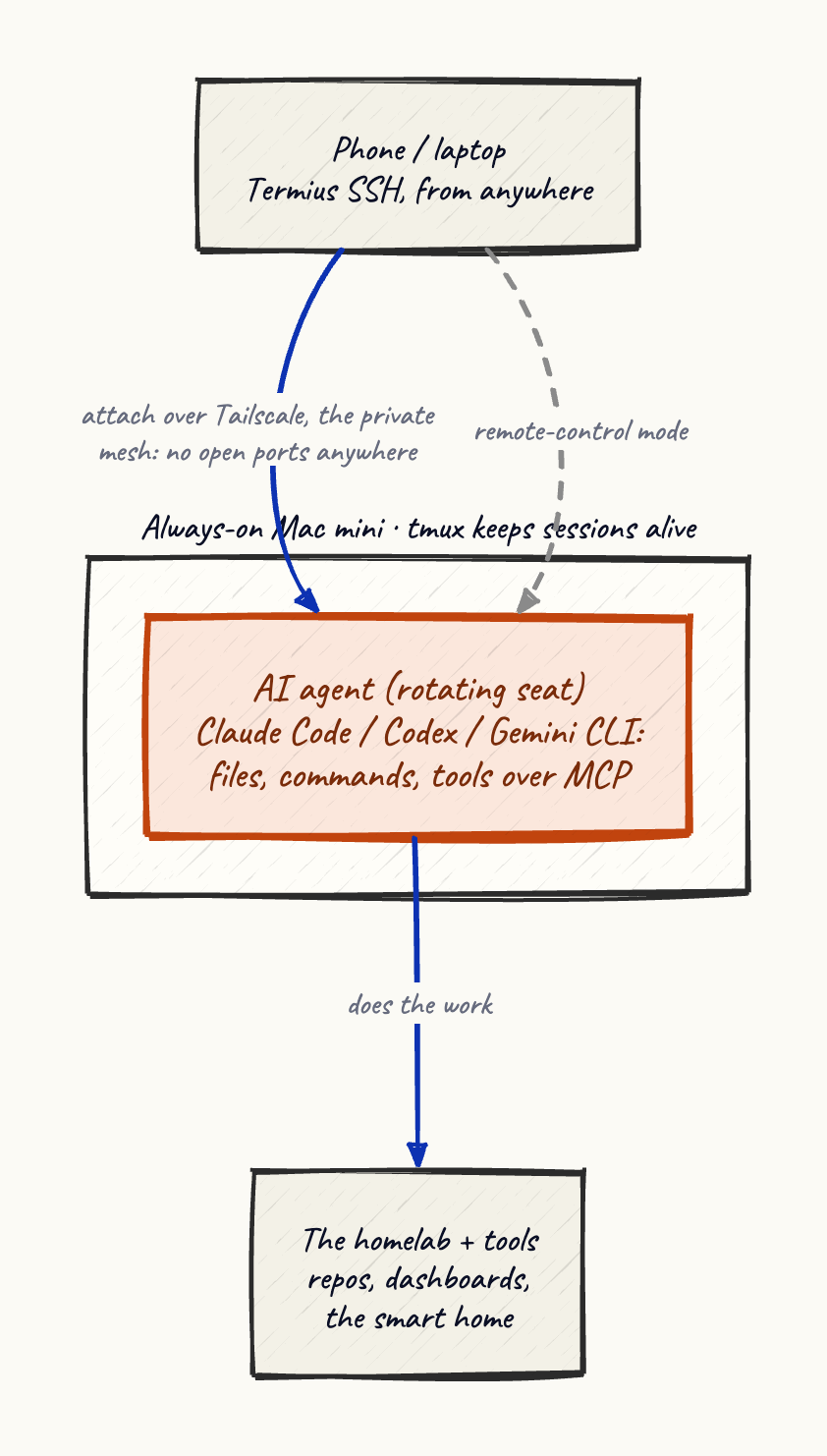
Reaching it from anywhere is the part that makes it a lifestyle instead of a desk. All my devices share a Tailscale network, a private mesh between machines I own, with nothing exposed to the public internet: no open ports, no VPN server to maintain, the mini simply isn’t reachable except by my own hardware. On the phone, Termius gives me a proper SSH terminal, so from anywhere with a signal I can attach to a running session, read what the agent has done, and give it the next instruction. Claude Code’s remote-control mode goes a step further and hands a live session to its mobile app, in a form that’s actually pleasant to drive with thumbs. That’s the parking lot.
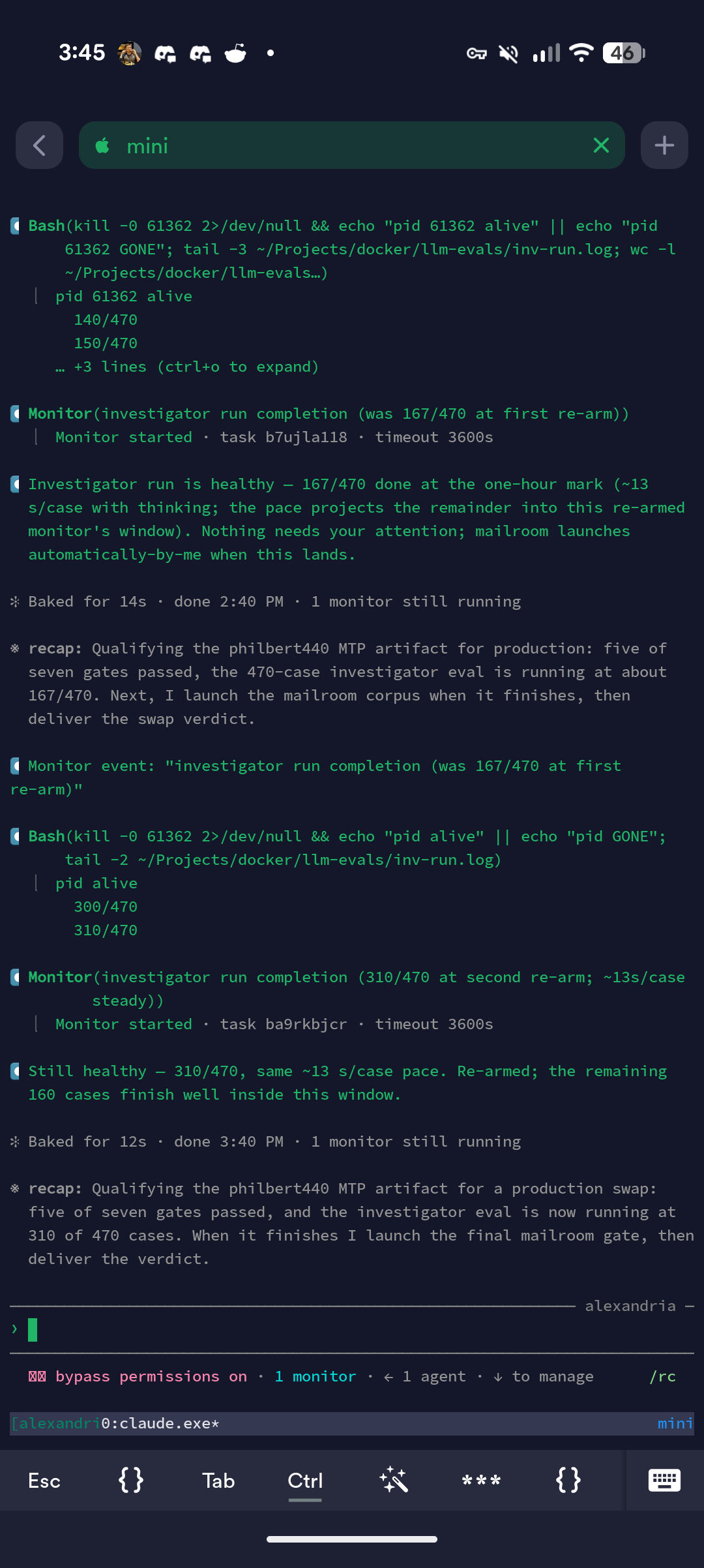
Almost none of this is AI technology. tmux is older than some of my coworkers, SSH is thirty years old, and Tailscale is plumbing. The model is the swappable part. Persistence, reachability, and the audit trail come from the boring pieces holding it in place.
The tools are only half of the setup. A new session still arrives brilliant and blank, so each one reads the same context files, decision log, and skills before it touches a project. I wrote up that half separately in An employee handbook for my AI staff. Together, the two systems mean I can close the laptop in the middle of a job, attach from my phone an hour later, and find both the process and its context where I left them.