A brain transplant for the homelab
The mini PC that ran my entire homelab served loyally for years, and then all of its ceilings arrived at once. Video transcoding (re-encoding media on the fly so any screen in the house can play it) leaned on an integrated GPU. The 10-gigabit network hung off a Thunderbolt adapter that ran freakishly hot and introduced a boot-time race. Every reboot was a coin flip on whether the machine came back reachable. There was no sane way to attach the disk shelf I wanted for the next storage project. And local AI experiments need a real GPU, which a machine that size simply cannot hold. Any one of these was tolerable; together they read like a lease expiring.
The replacement is a workstation-class mini PC (a Minisforum MS-02 Ultra) with native 25-gigabit networking (I still follow Cisco’s “speeds and feeds” religion) and, the part I care most about, an OCuLink port: a cable that carries the guts of a PCIe slot outside the case. That’s how a full-size RTX 3090 (used, as I’m 3-4 years late to the GPU game) now hangs off a computer smaller than a shoebox. Transcoding moves to a discrete GPU with headroom to spare, and the same card brings CUDA, the compute platform modern AI runs on, which is the real reason it’s here.
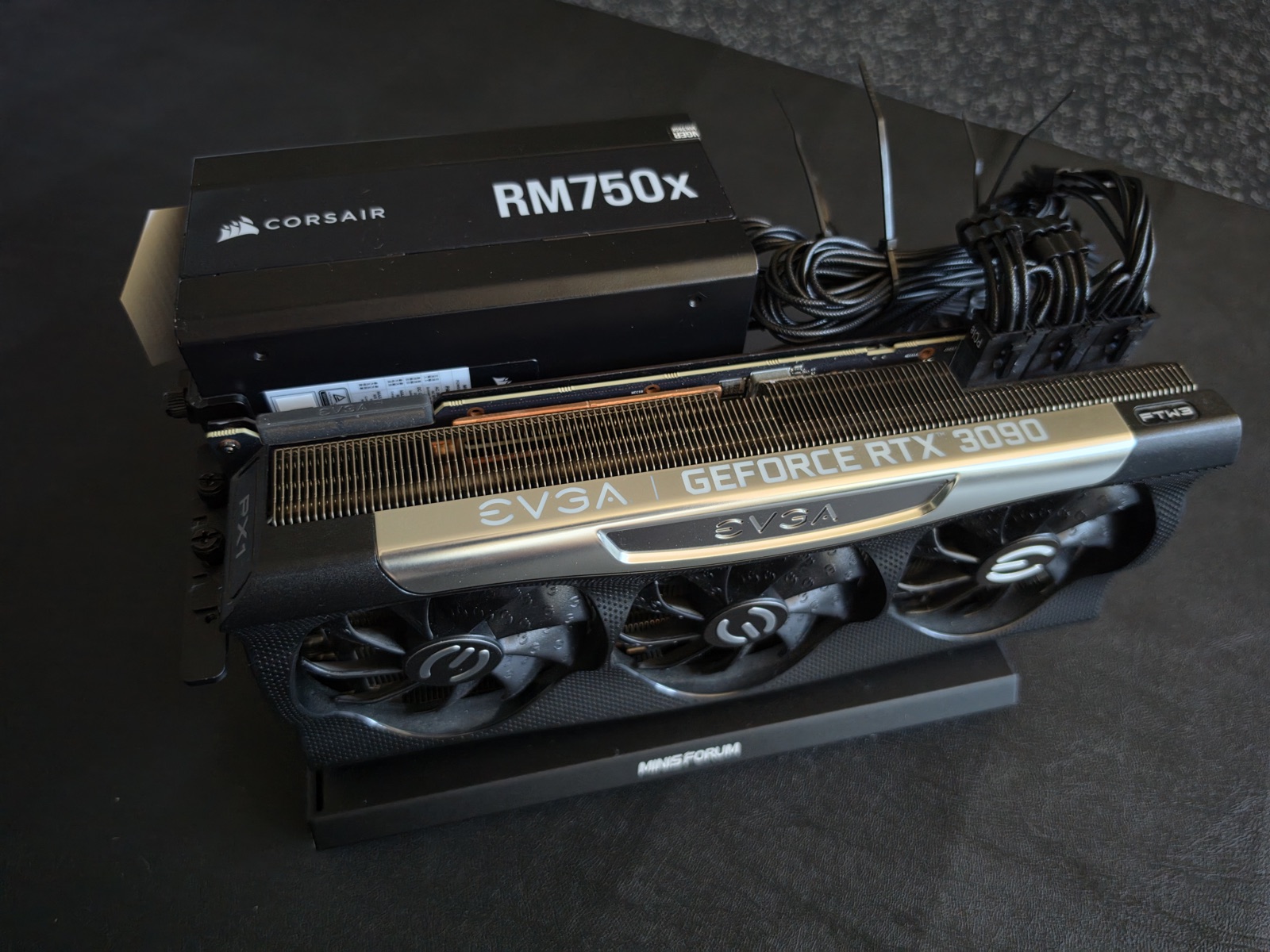
I moved the RAM and the NVMe drives from the old machine into the new one (avoiding a second mortgage by doing so), which is why this was a transplant rather than a migration: the two machines could never run at the same time. No parallel operation, no dress rehearsal, no gradual cutover. The old server had to die for the new one to boot. The plan was a fresh OS install followed by full reconstruction from backups, git, and the password vault, executed as a phased runbook: verify backups, then OS, network, storage, containers, the smart-home VM, GPU, and finally service-by-service validation until the family signs off. The manual I wrote about a few posts back (Alexandria) got its first real exam. Verdict: passed, with notes.
The build threw its curveball early. The moment the eGPU joined, the boot console flooded with PCIe errors, and I did exactly what the timing invited: blamed the exotic new part. I reseated the card, swapped the OCuLink cable, downgraded the slot speed in BIOS. Nothing changed, because the GPU was never the problem. When I finally read the kernel logs on a full-size display (instead of squinting at an SSH session on my phone), every error traced to the motherboard’s own USB4 controller, a known noisy-but-harmless quirk with a one-line fix. Wonderful. The card had been healthy the entire time. I’ve paid the diagnosis-by-coincidence tax before; the logs were the cheaper route all along, and they usually are.
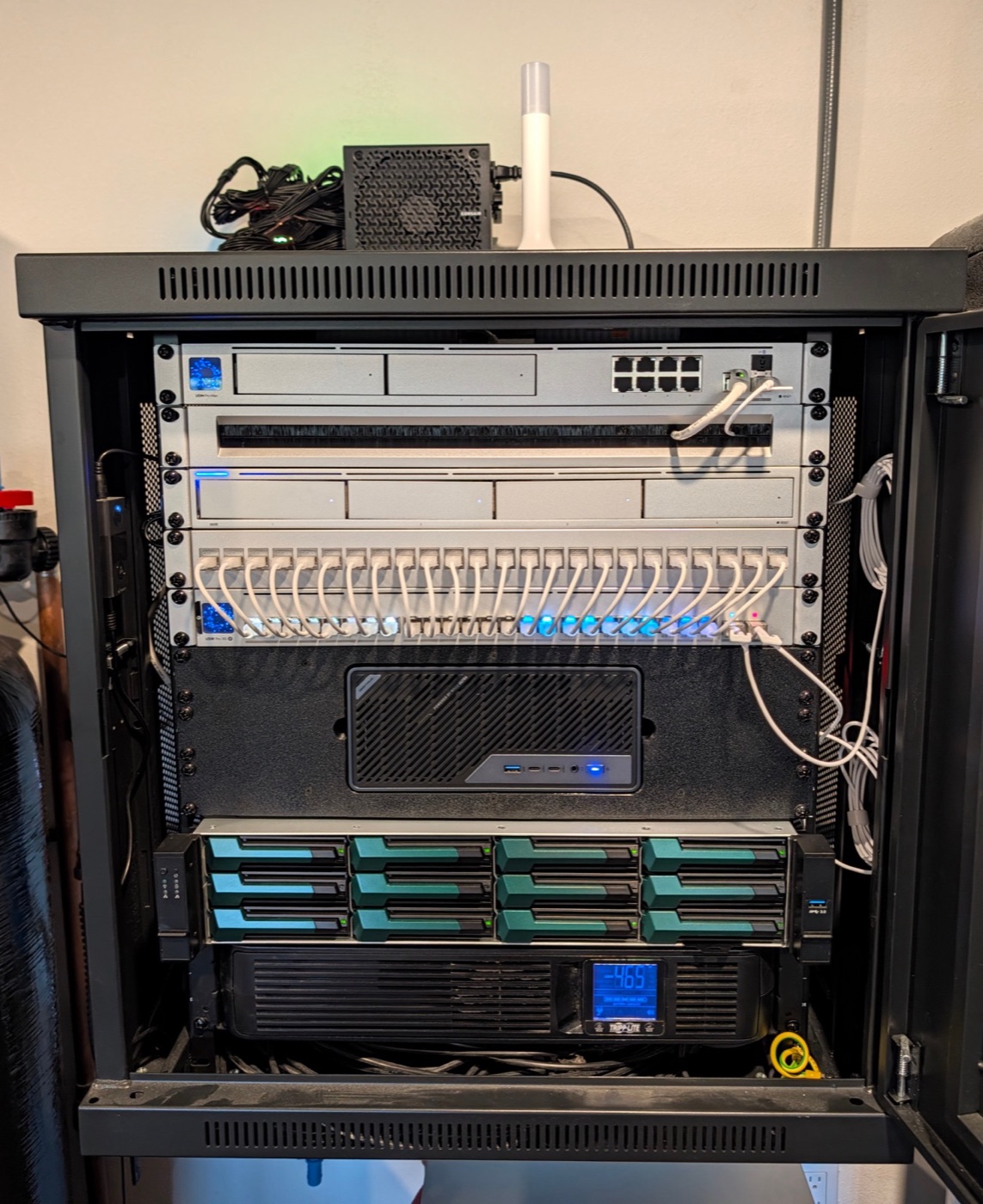
The subtler failure was identity. My Tailscale overlay network issues each machine an address, and the new machine received a new one. The old address, come to find out, had been hardcoded in five separate places: the DNS zone, two service bindings, a smart-home sensor, and (least visibly) a nameserver entry buried in an admin console. Every internal domain went dark until the last of the five was found. Thanks to Nginx Proxy Manager, it’s been a long time since I had to remember IP-and-port combinations, and I never want to go back. The durable fix wasn’t finding them. It was parameterizing them, so the next address change is a one-line edit instead of a scavenger hunt through every config I own.
Sitting beside the new server is the other half of the plan: a custom-built disk shelf (DAS) wired up as a ZFS storage pool, freshly built. The media library moves onto it next, and the aging NAS it replaces retires. After that, the 3090 gets its real job; local models are why it’s bolted to this machine. Both are next, in that order.