Rebuilding the family cloud on storage I trust
For years, everything my family cares about (every photo, every document backup, the whole media library) lived on a Synology RS1221+ NAS: a proprietary sealed box that did its job and asked no questions. I never loved that I couldn’t answer basic questions about it. What would it do when a disk started lying? Was the offsite copy I set up years ago even still running? An appliance trades control for convenience, and I’d taken that trade for a decade. The new homelab server changed the math: it could hold a disk shelf (a chassis of drive bays cabled straight to the server) and run ZFS, a filesystem that treats “is this bit still the bit I wrote?” as a first-class question. Plus, I could load any drive from any manufacturer in it, something Synology is retiring. So the data was moving. The catch was that it could only move once.
Reusing the NAS’s disks meant removing them from the old array. I could take one and still keep a readable copy on the NAS. Taking a second would remove that fallback, so I planned the copy, checks, and cutover around keeping it available for as long as I could.
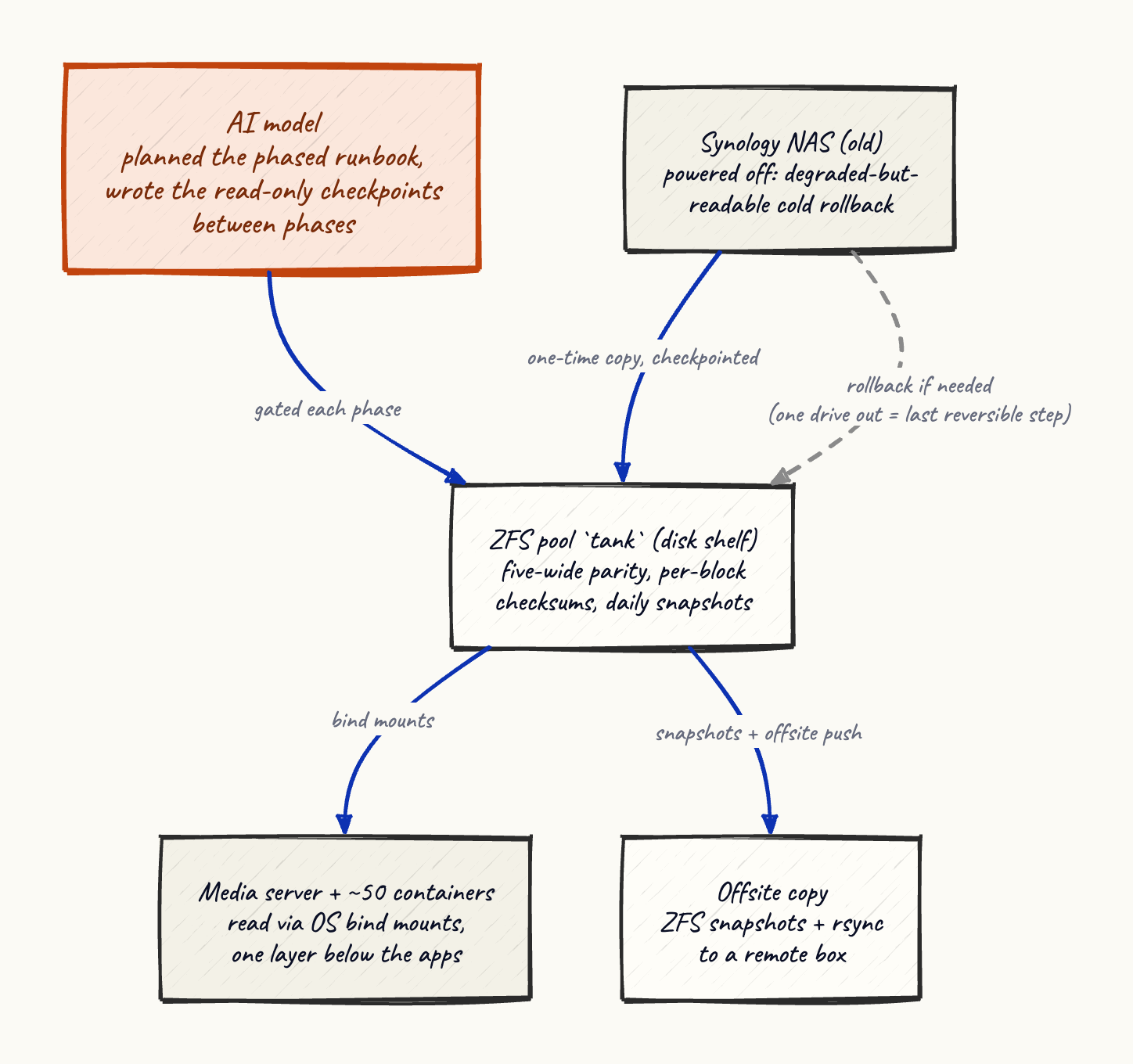
I planned it the way I plan anything irreversible now: with an AI model as the drafting partner and me as the reviewer. It wrote a phased runbook (verify backups, copy, cut over, validate) and, more usefully, the checkpoints between phases: the small read-only tests that had to pass before the next step was allowed to run. That discipline paid for itself twice before the real cutover.
The first checkpoint caught a trap I’d have walked straight into. The old mount had a trick to it: Linux had it wired as an automount, a convenience that reconnects a network folder on demand the moment anything touches its path. After I thought I’d repointed everything at the new pool, that on-demand hook still owned the path. The test that caught it was almost dumb: look for a stray metadata folder that only the old NAS creates and the new copy deliberately excludes. It was there, so I was still reading the appliance I believed I’d left. A confident cutover in that moment would have served the family stale data and looked perfectly healthy doing it.
The second catch was worse, and had nothing to do with the migration. Copying the data exposed the permissions model underneath, and the offsite backup (the copy that’s supposed to answer “the house burned down”) had been silently broken for years. The old NAS was shipping files to the remote box with their permission bits stripped to zero, and a file with no permissions is unreadable even by its owner. My disaster-recovery copy was a folder of files nobody could open. Thankfully I learned this on an ordinary Tuesday during a planned migration, which is the good way to learn it. The other way is on the day you need it.
The cutover itself was undramatic, which is the highest compliment you can pay a storage change. The pool rebuilt to full parity in a little over a day with zero errors, and the first full scrub (ZFS reading back every block and checking it against its checksum) came back clean: every bit I’d written was a bit I got back. The bare-metal media server (Plex) never noticed its files had moved, because the move happened one layer beneath it.
The rebuild came with a new backup regimen, and the piece I’m most satisfied with is the least visible. Daily snapshots of every dataset, except the media library keeps far fewer. That’s deliberate: my media tools upgrade files in place and delete the originals, and a snapshot pins the deleted version alive, so a library that constantly upgrades itself will hoard superseded copies forever if you let snapshots run long. Short retention there, long everywhere else.
Here’s the DAS coming to life on my kitchen table:
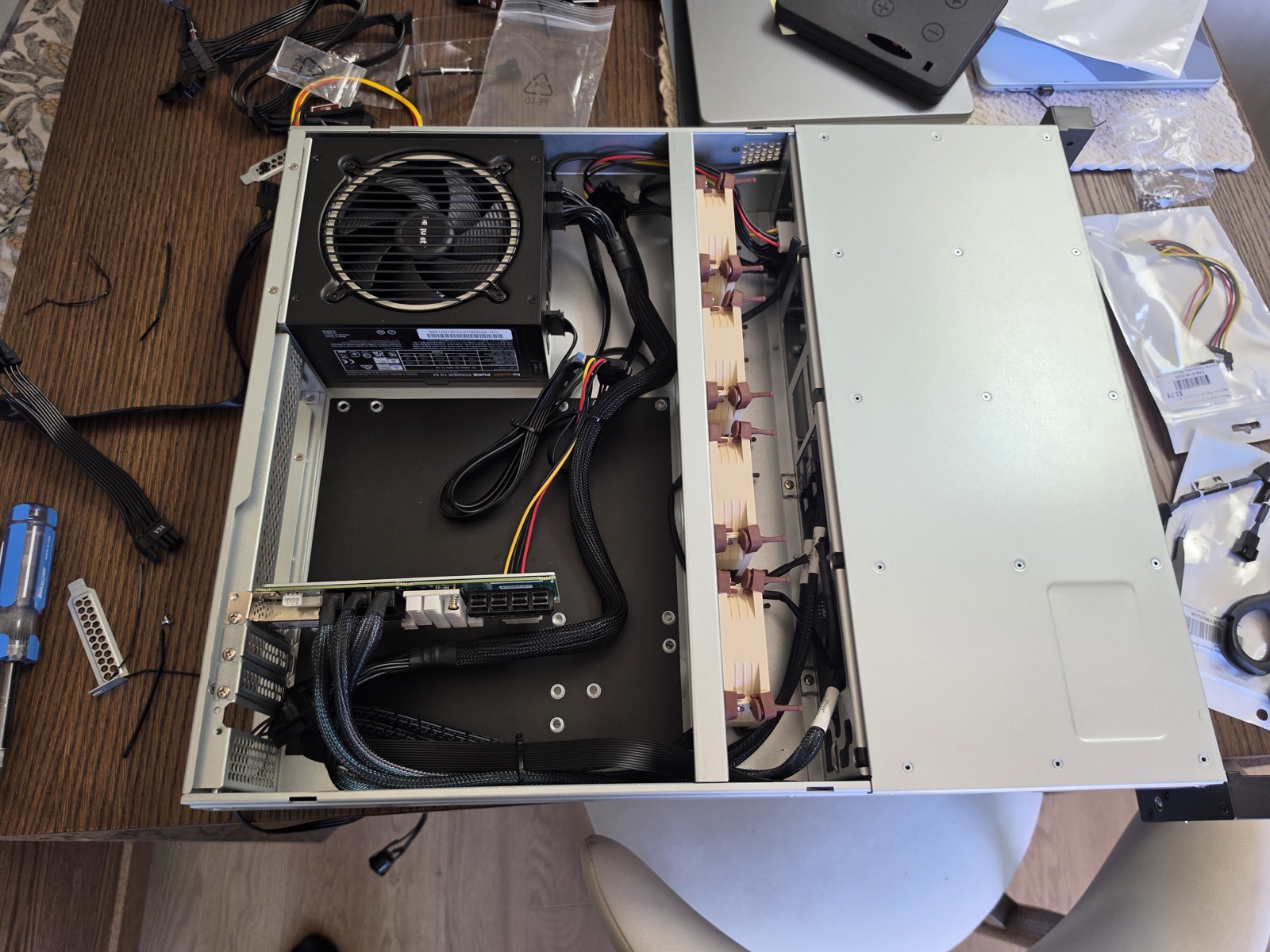
As I write this, the old NAS still sits in the rack, powered off, holding its degraded-but-readable copy (degraded as I stole one of its disks, the largest, for the DAS). That’s intentional: the one-way door is open, but I haven’t walked through it. It closes the day I wipe those disks, and I’m in no hurry: reversible costs almost nothing to keep, and irreversible you only get to do once.